01Wide
Totale
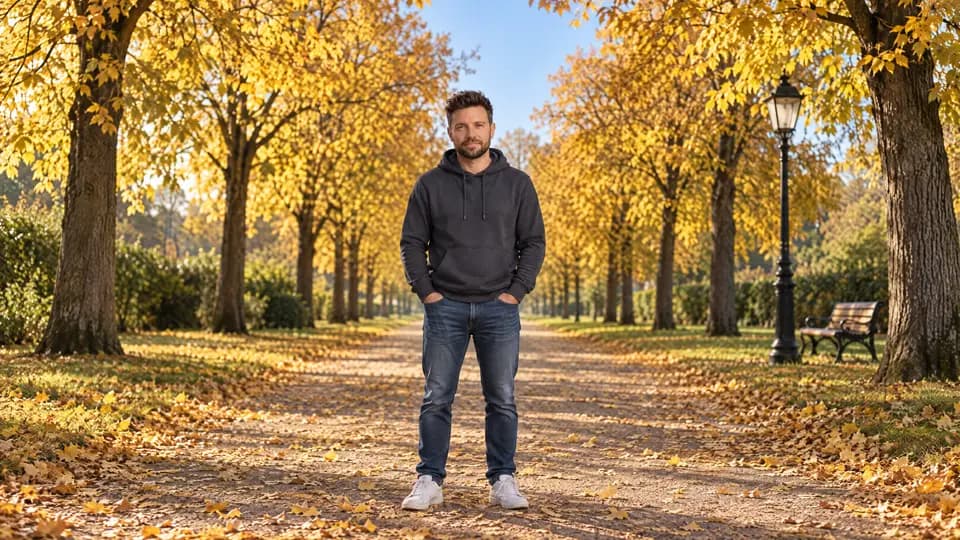
Wide shot: the man stands small in the center of the frame, full body with plenty of space around him, the whole path and both rows of trees visible.
Mit dem richtigen Begriff bestimmst du, von wo aus deine Bild-KI fotografiert. Hier sind alle Einstellungen aus dem Reel, mit Beispielbild und dem , mit dem es entstanden ist.
8 Seiten, alle Einstellungen mit Bild und Prompt
Öffne eine Bild-KI, die ein Foto als Vorlage annimmt, zum Beispiel ChatGPT oder Gemini.
Häng ein Foto von dir an, auf dem dein Gesicht gut zu sehen ist.
Kopier den Prompt der Einstellung, die du willst, und schick ihn ab.
Für jede Einstellung ein neuer Chat, dann übernimmt die KI nichts aus dem Bild davor.
Für Kais Foto geschrieben. Für dich ersetzt du „the man“ durch „the woman“ oder „the person“, in den Einstellungen dann auch „he“ und „his“ durch „she“ und „her“. Trägst du keinen Bart, streichst du „and full beard“.
Den Ort kannst du frei tauschen. Die Kameraeinstellung bleibt dieselbe.
Create a new photograph of the man from the reference image: same face, hair, beard and clothing. Keep the exact face shape, jaw width, face length and full beard from the reference, his real skin texture and his exact age. Do not beautify, do not slim the face, do not make him younger. Do not copy the pose, framing or background of the reference image.
Location: a straight park path on a sunny golden autumn afternoon, clear blue sky, mature trees with bright golden-yellow foliage on both sides, fallen golden leaves on the path, one black lamp post and a wooden bench in the soft background. No other people, no signs, no text.
Location: a bright modern kitchen with white cabinets, a wooden counter and large windows with soft daylight. No other people, no text.
Photorealistic, shot on a full-frame camera, natural light, 16:9 landscape.
Wide shot: the man stands small in the center of the frame, full body with plenty of space around him, the whole path and both rows of trees visible.
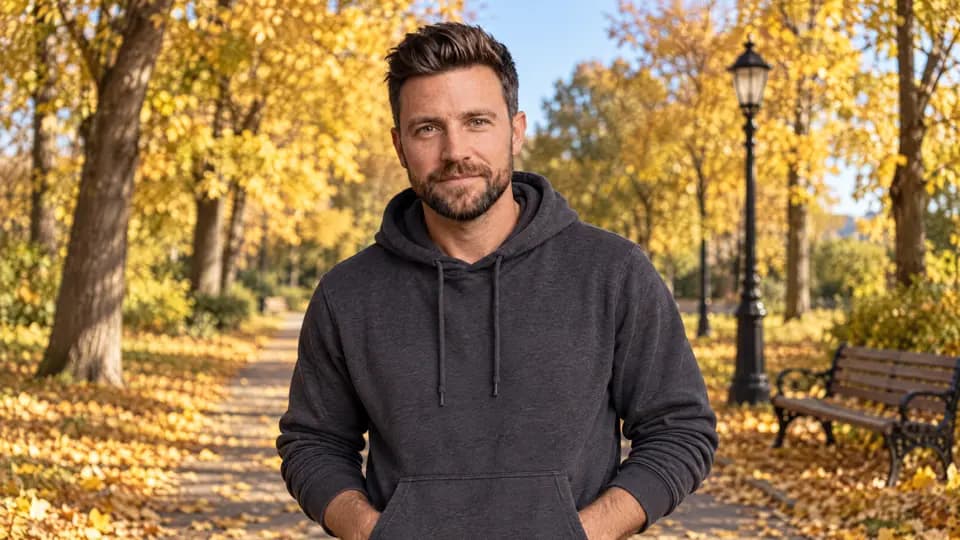
Medium shot from the waist up, camera at chest height, he looks into the lens with a relaxed slight smile.
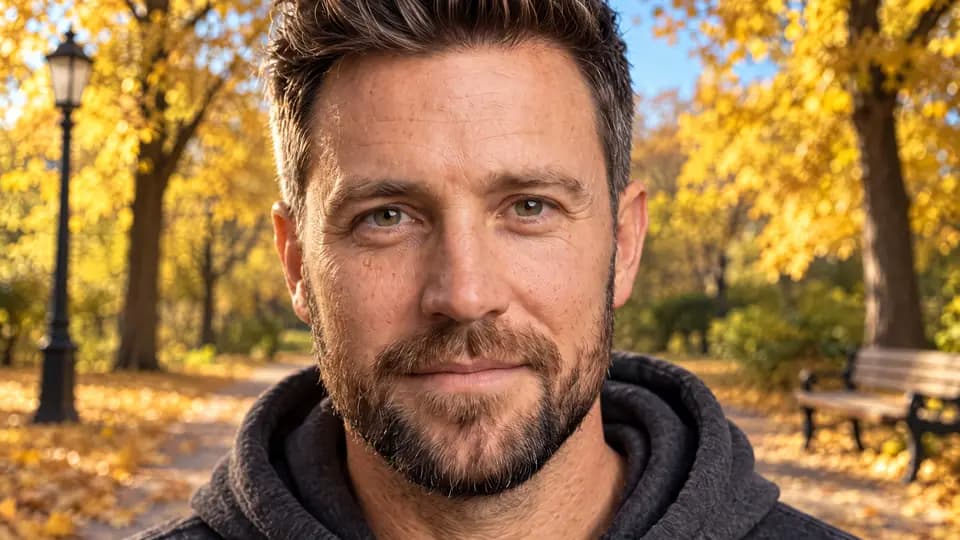
Close-up of his face filling the frame from forehead to chin, eyes sharp, background softly blurred.
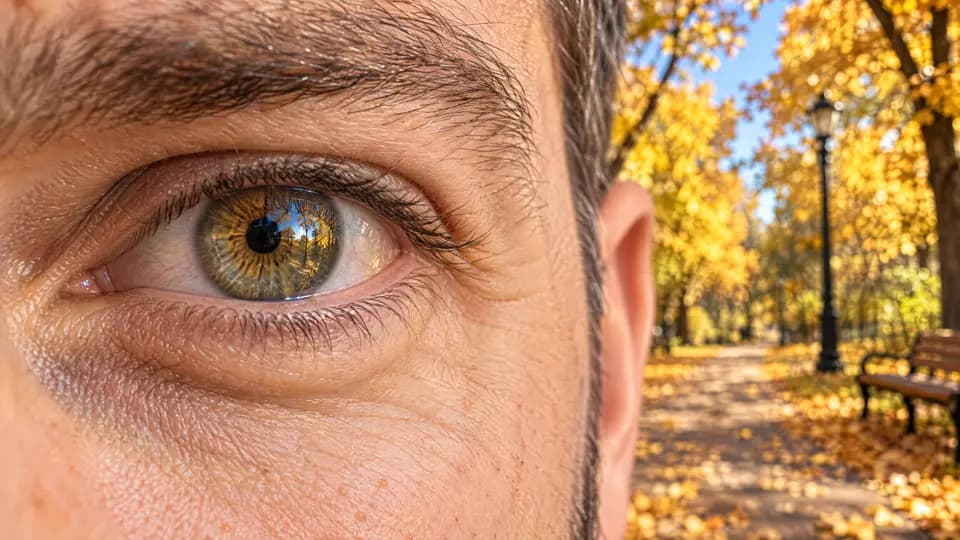
Extreme macro of one of his eyes, the iris and eyelashes fill the frame, golden leaves reflected in the eye.
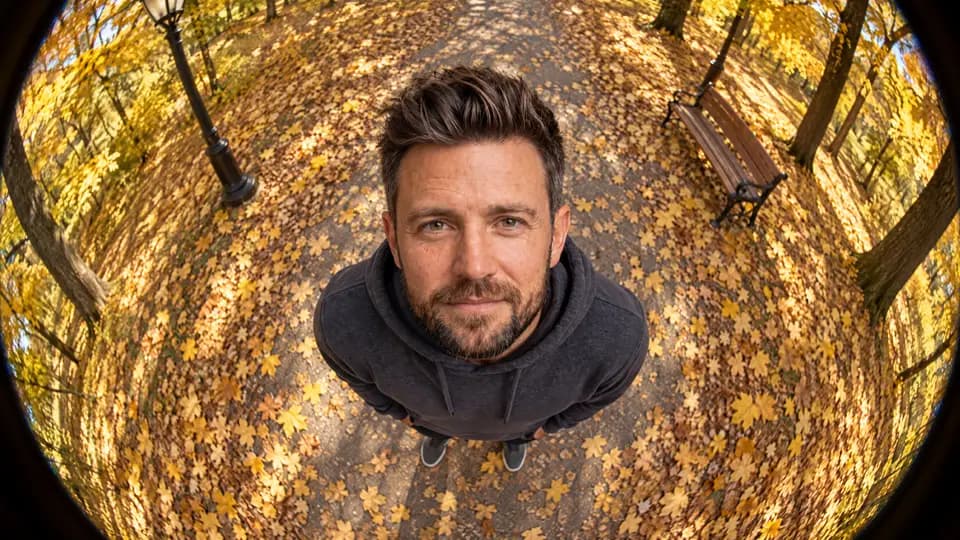
Overhead fisheye shot: the camera is directly above him, pointing straight down at the ground, about two meters over his head. He stands on the leaf-covered path and looks straight up into the lens, so we see the top of his head, his upturned face and his shoulders foreshortened, the path and leaves all around him. Strong circular fisheye distortion with dark rounded corners. No horizon, no sky visible.
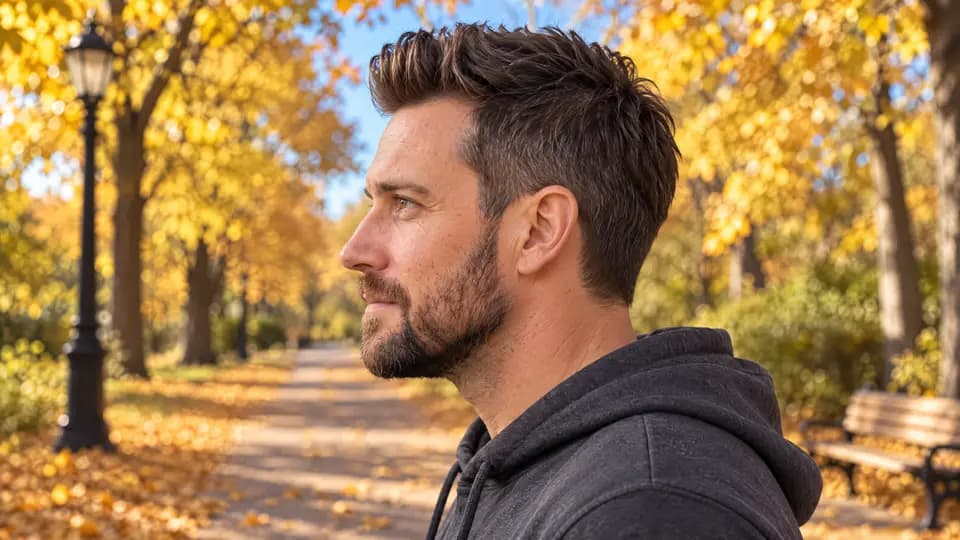
Strict profile shot, his head and shoulders seen exactly from the side, he looks to the left of the frame, trees blurred behind.
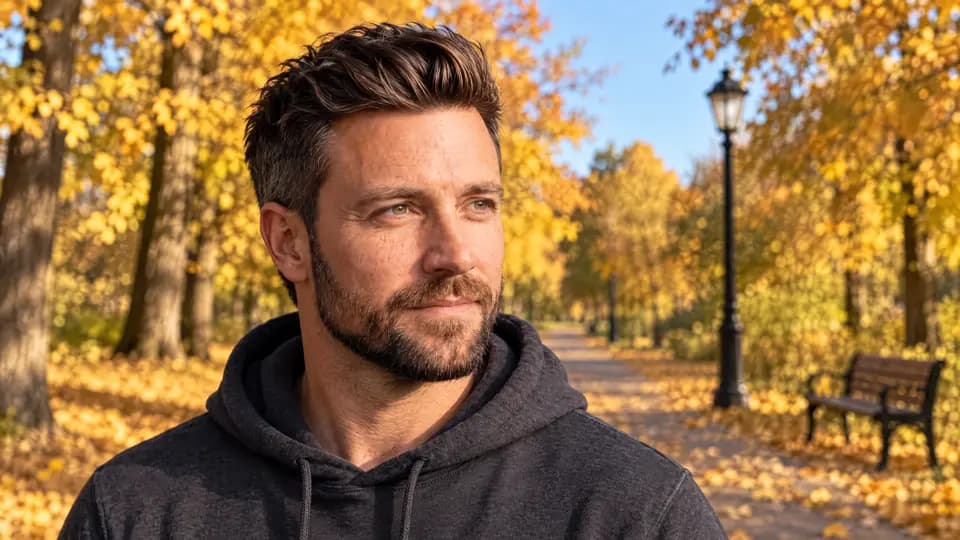
Three-quarter view, his face turned 45 degrees away from the camera, head and shoulders, eyes toward the distance.
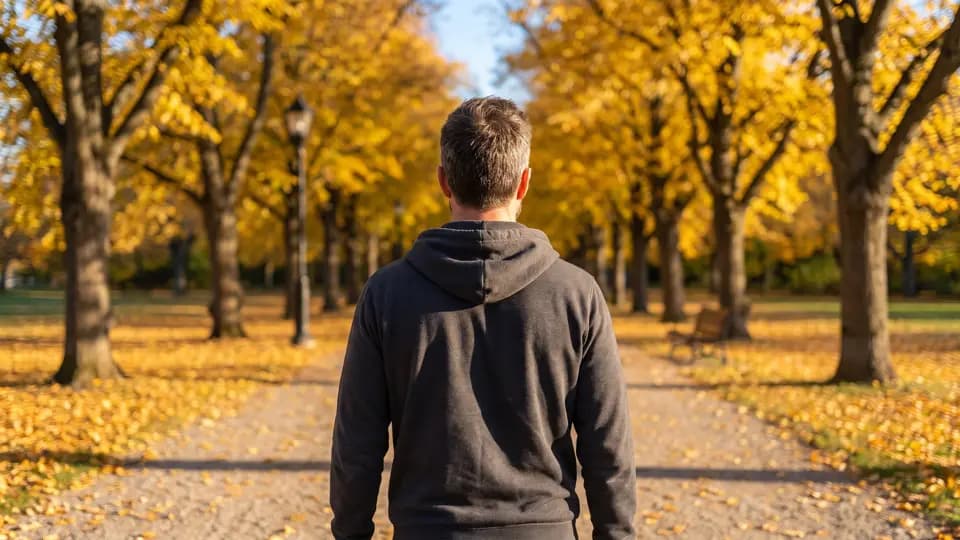
Rear view from directly behind, he walks away from the camera down the path toward the golden trees, framed from the waist up.
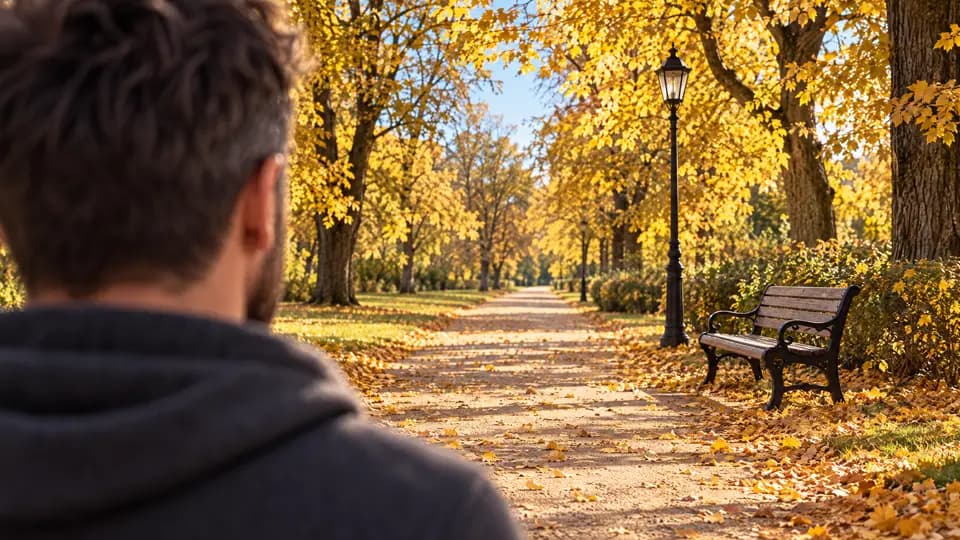
Over-the-shoulder shot: his shoulder and the back of his head large and out of focus in the left foreground, the sunlit path and the bench sharp in front of him.
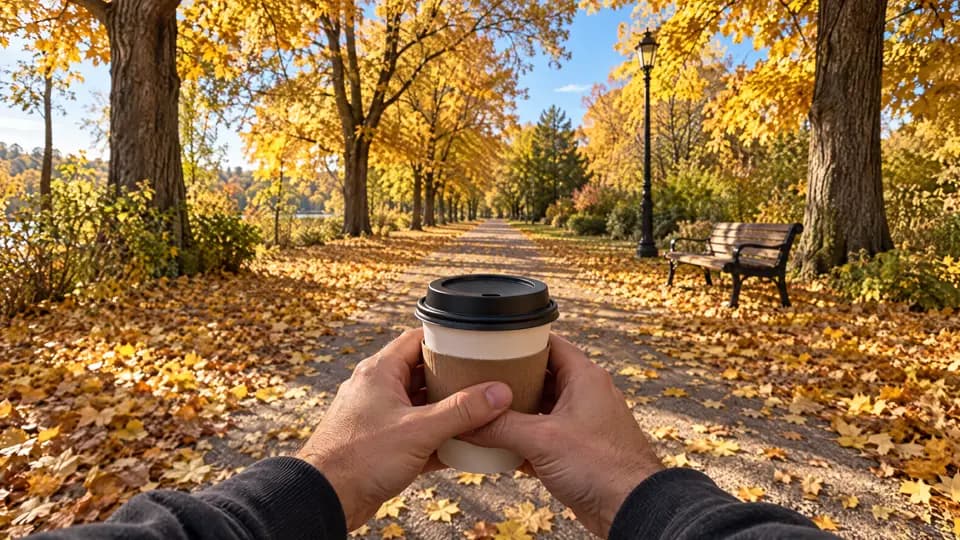
First-person point of view: his own hands holding a paper coffee cup at the bottom of the frame, the leaf-covered path ahead, no face visible.
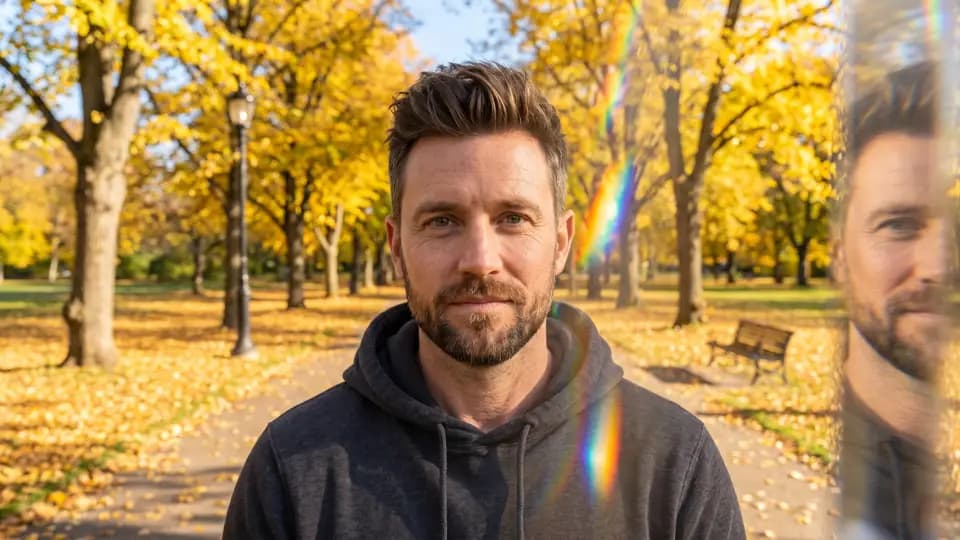
Portrait photographed through a glass prism held in front of the lens, his face sharp in the center with rainbow light streaks and a mirrored ghost copy of his face at the edge.
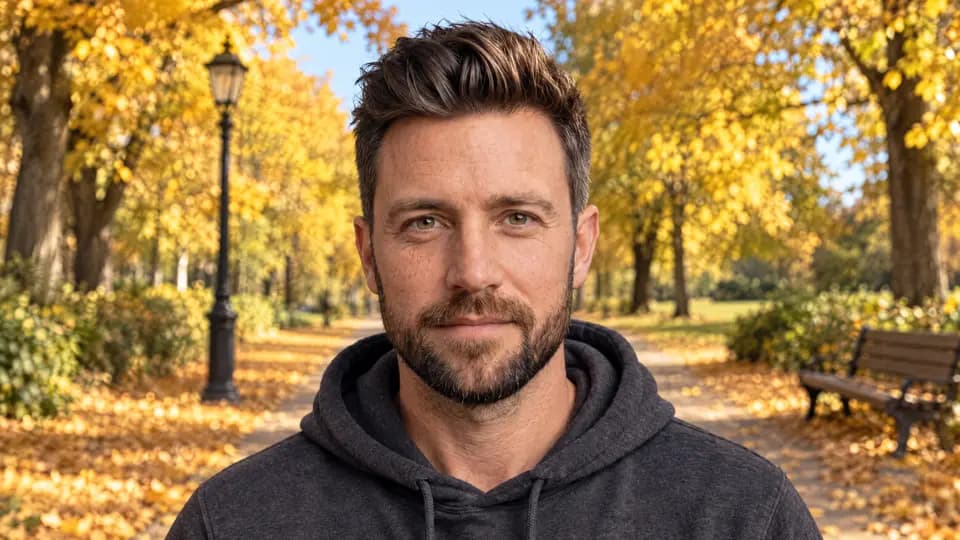
Eye-level shot, camera exactly at the height of his eyes, head and shoulders, direct eye contact, neutral and natural.
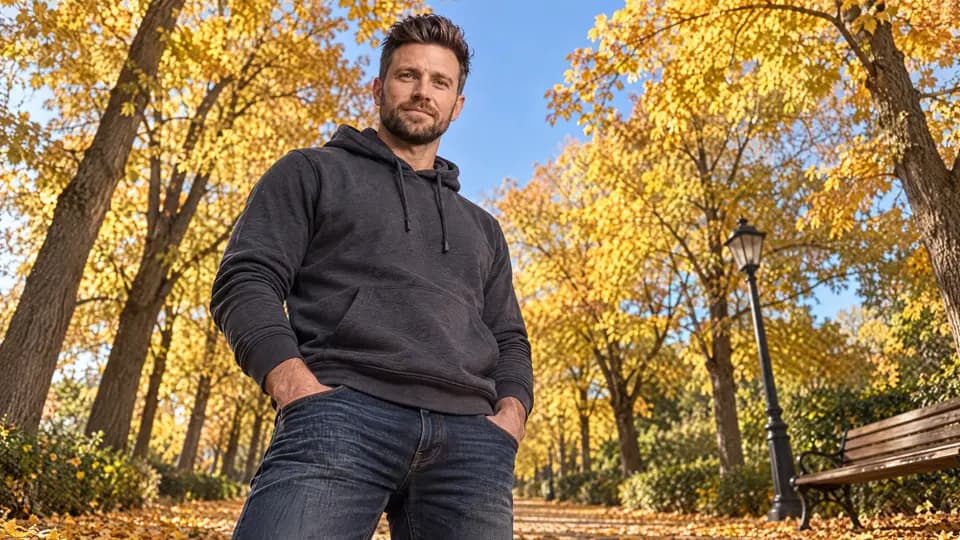
Low-angle shot from knee height looking up at him, he appears tall and powerful against the golden tree crowns and blue sky.
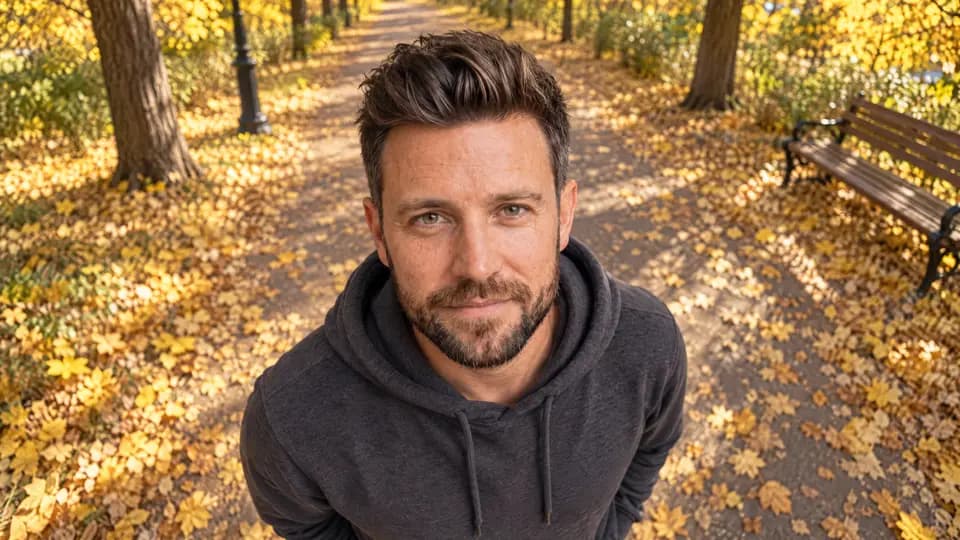
High-angle shot from above head height looking down at him, he looks up at the camera, the leaf-covered path fills the background.
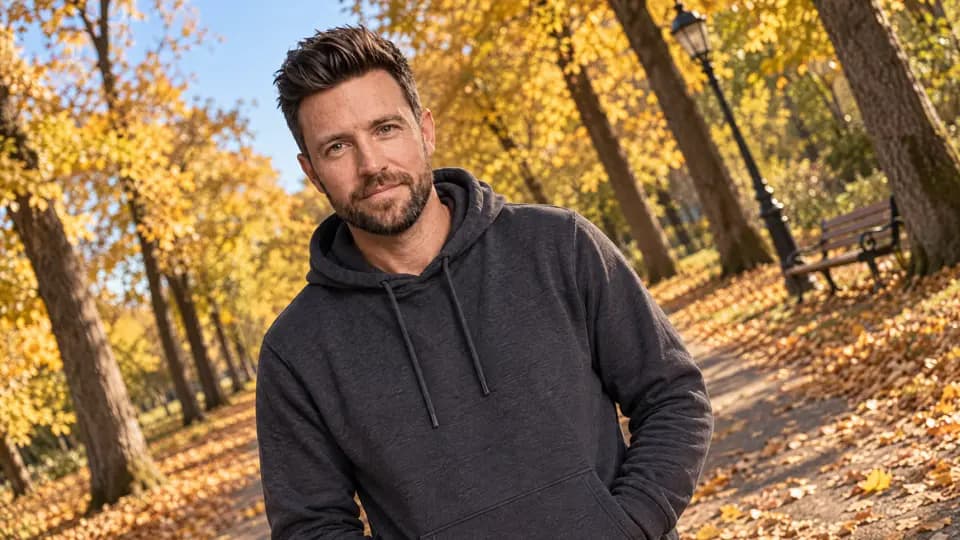
Dutch angle: the camera is tilted 25 degrees so the horizon and the tree trunks lean diagonally, medium shot, he stands still.
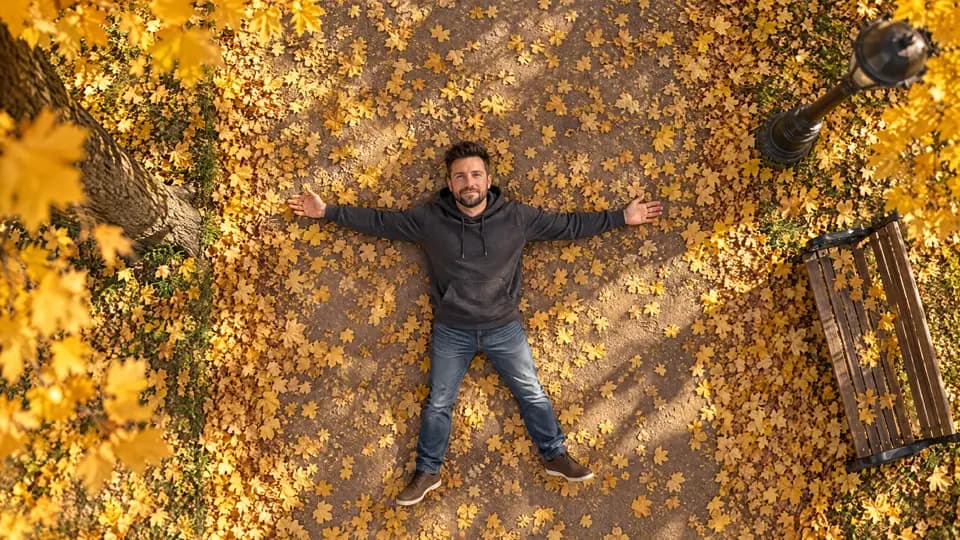
Straight top-down overhead shot from four meters above, he lies on the leaf-covered path with arms spread, golden leaves all around him.
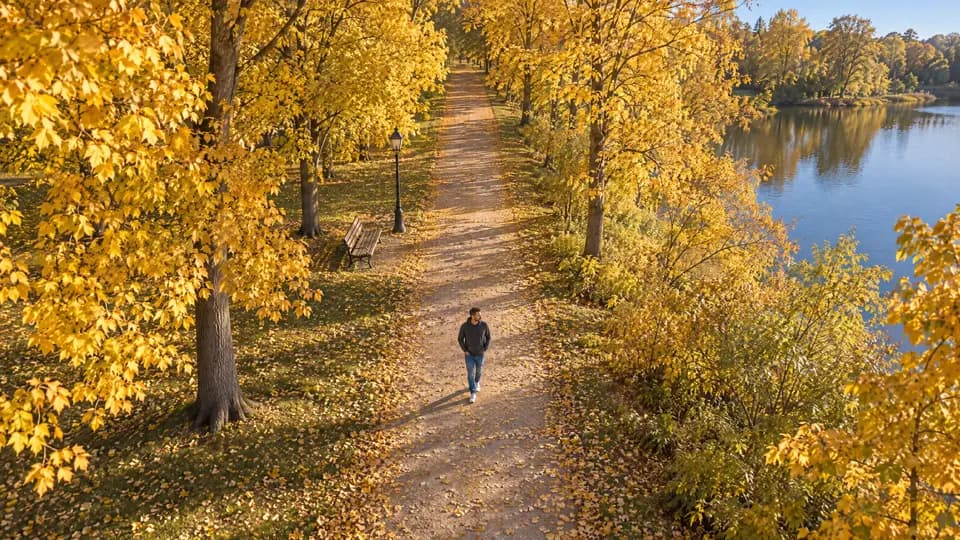
Aerial drone shot from thirty meters up, he is a tiny figure in the middle of the long golden path, tree crowns on both sides, the park and a lake visible.
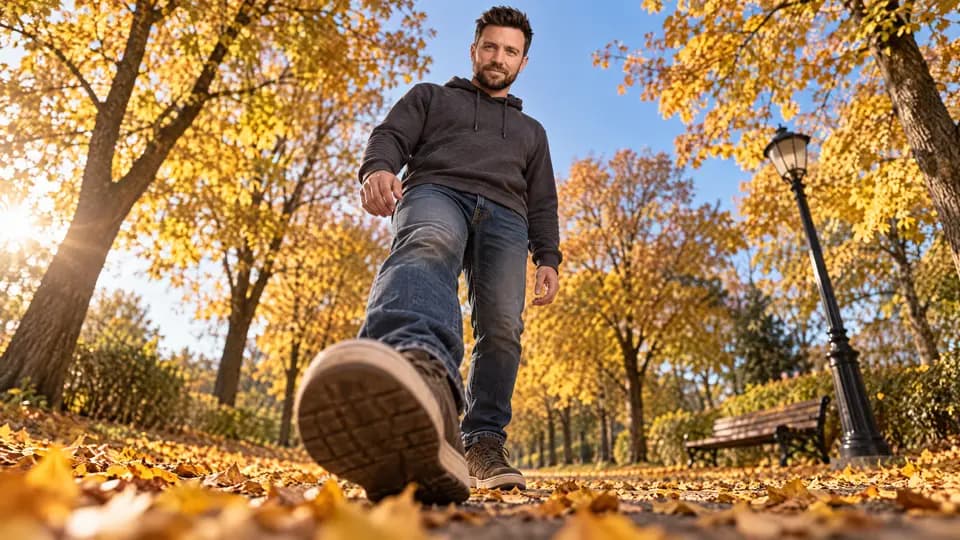
Ground-level shot, camera lying on the path among the leaves, his shoes huge in the foreground, his body rising above, shallow focus on the shoes.
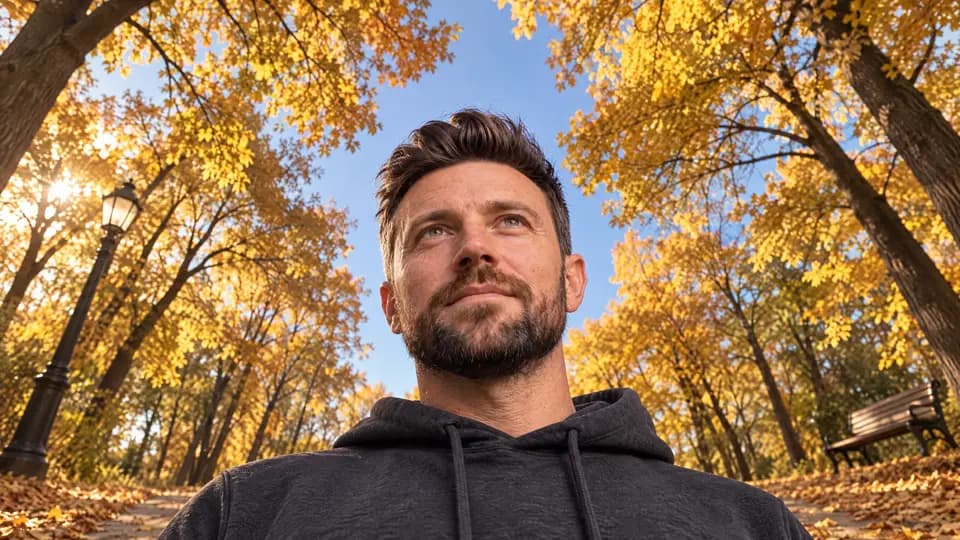
Worm’s-eye view from the ground looking straight up past him into the sky, his face seen from below, tree crowns converging above.
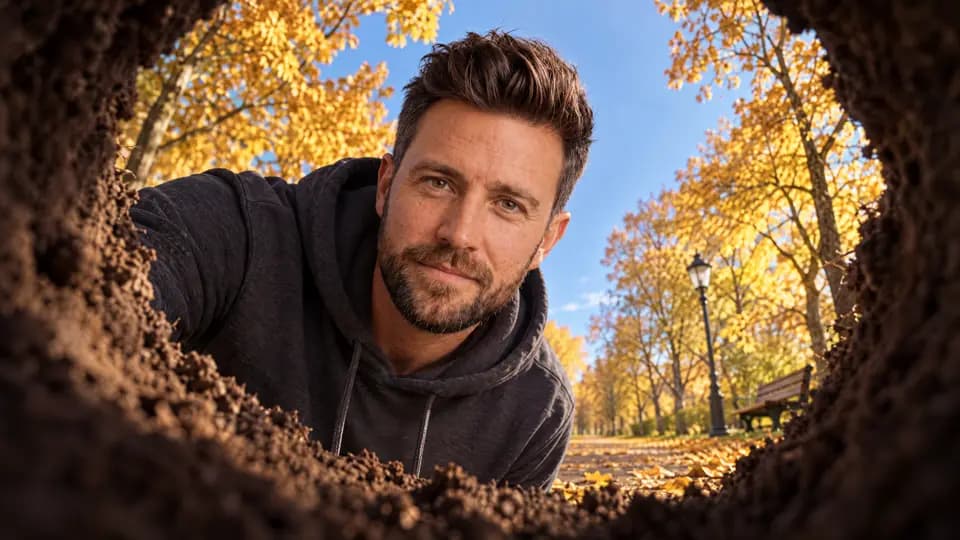
Camera inside a round hole in the ground looking up: dark earth walls frame the circular opening, he peers down into the hole from above against the blue sky.
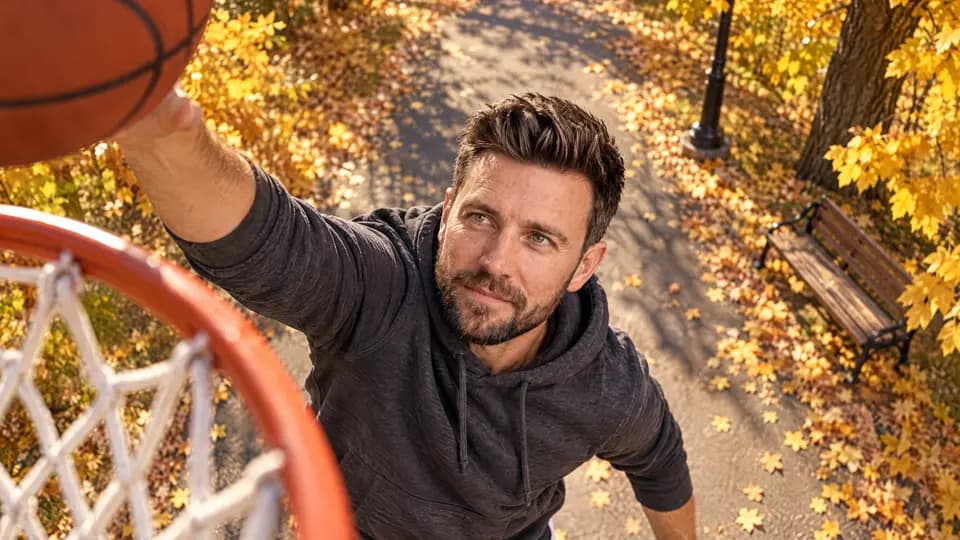
Camera at the height of a basketball hoop on a park court, looking down at him as he reaches up for the ball, the net in the foreground, golden trees behind.
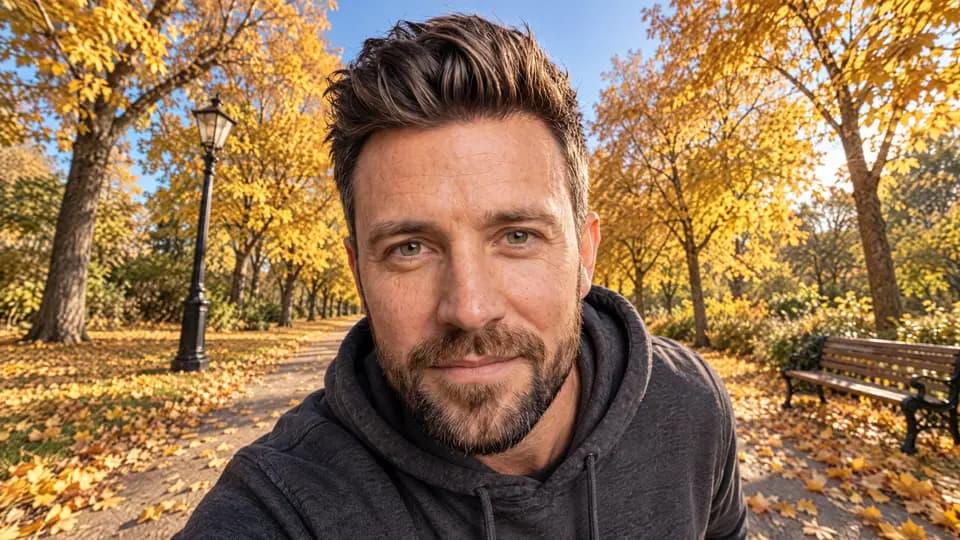
Wide-angle close-up with a 16 mm lens very close to his face, nose slightly enlarged, strong perspective, the whole path and trees still visible around him.
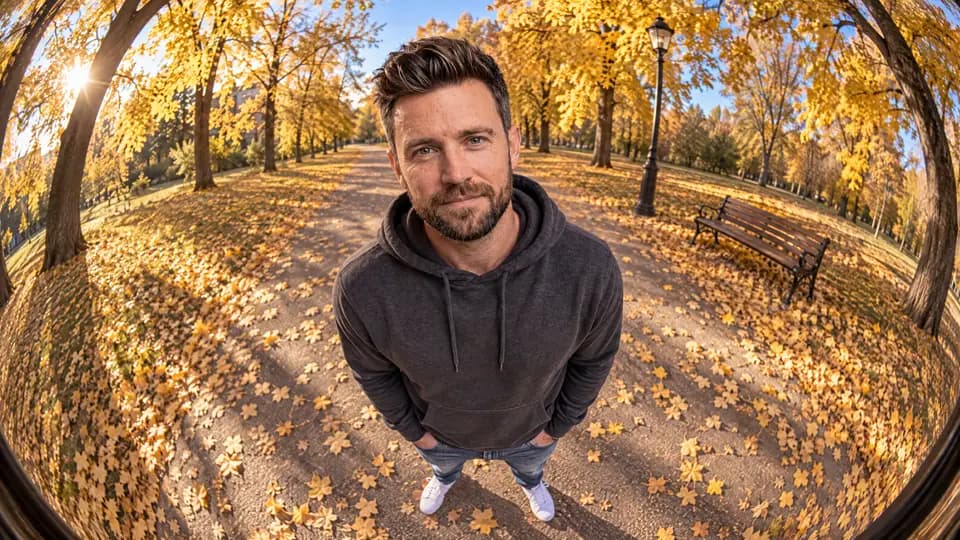
Fisheye lens full-body shot, strong barrel distortion bending the path and the trees around him, he stands in the center.
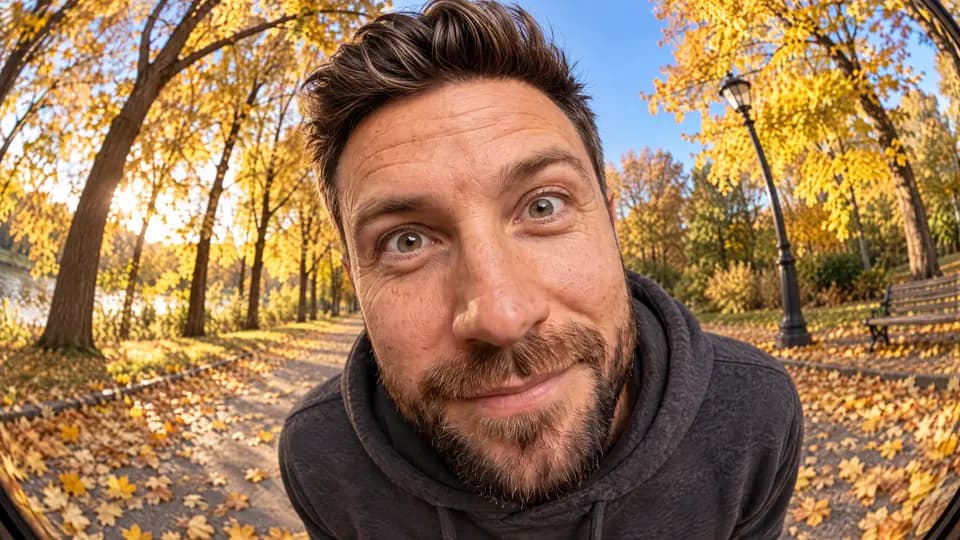
Fisheye close-up, his face right at the lens with exaggerated round distortion, forehead and chin bending, playful expression.
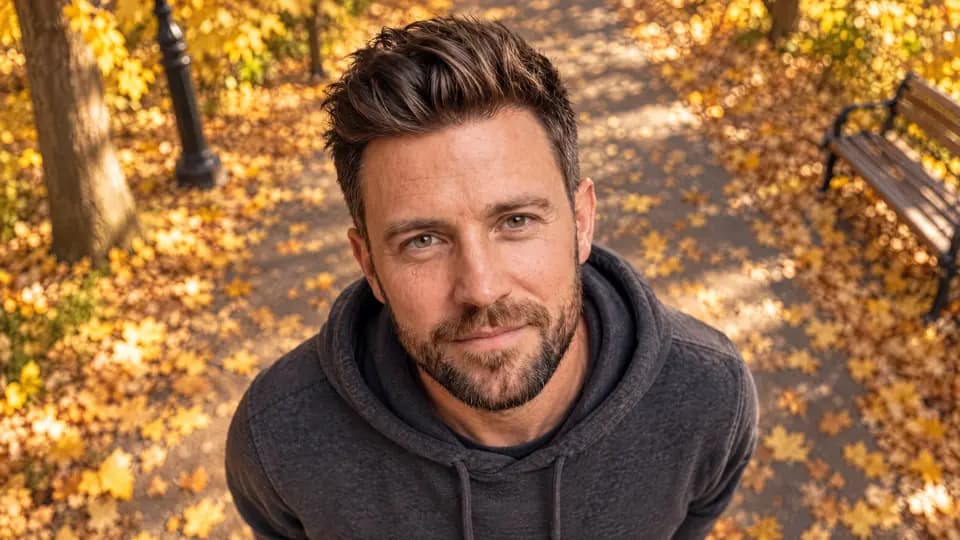
High-angle close-up: the camera above him looking down onto his face, he looks up into the lens, leaves blurred beneath.
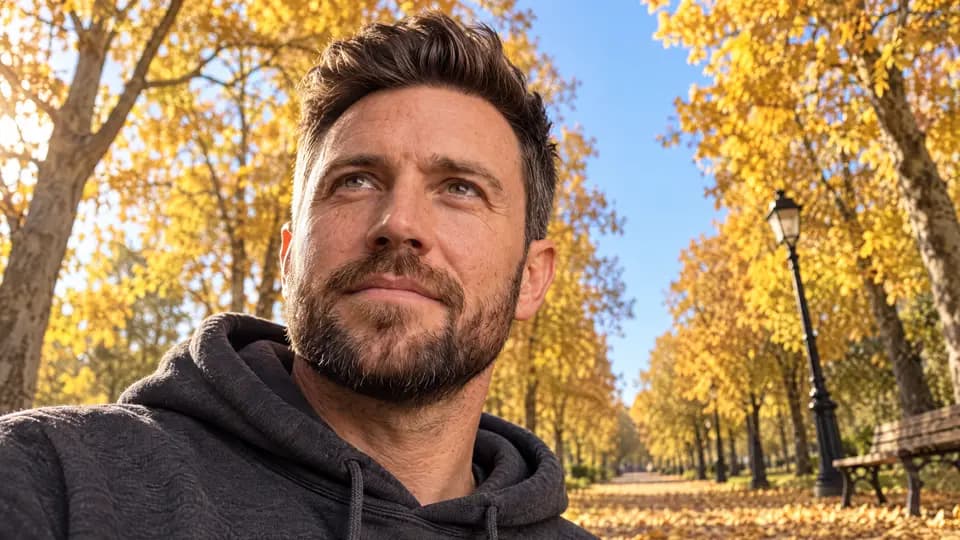
Low-angle close-up from below his chin, the face large against the sky and golden branches.
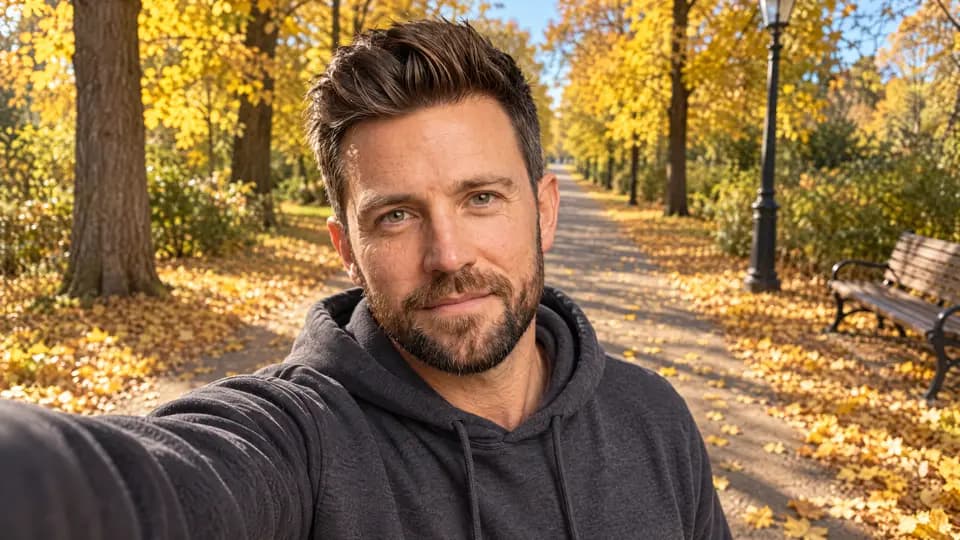
Selfie shot held at arm’s length, his arm visible at the edge of the frame, slightly from above, the sunny path behind him.
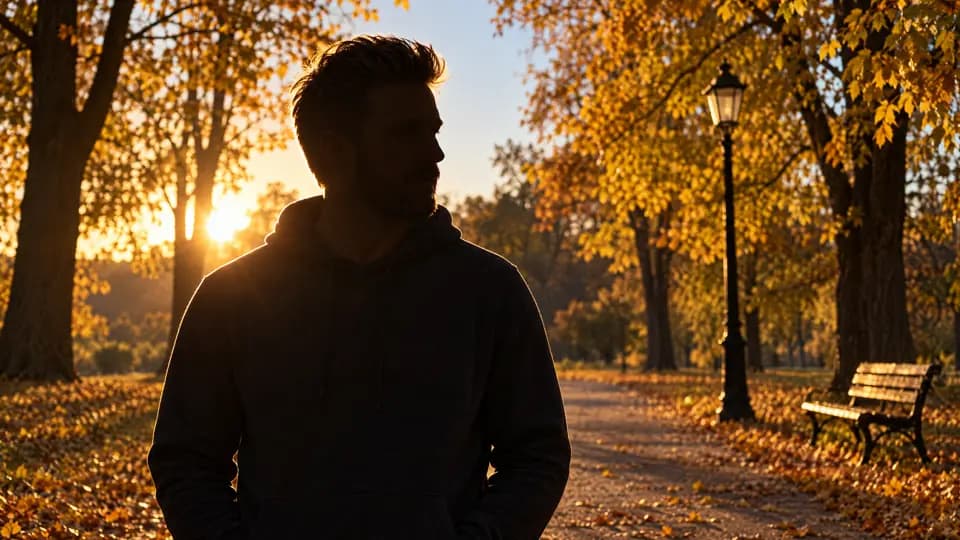
Silhouette: he stands as a dark outline against the low golden sun behind the trees, no facial detail, rim light on his hair.
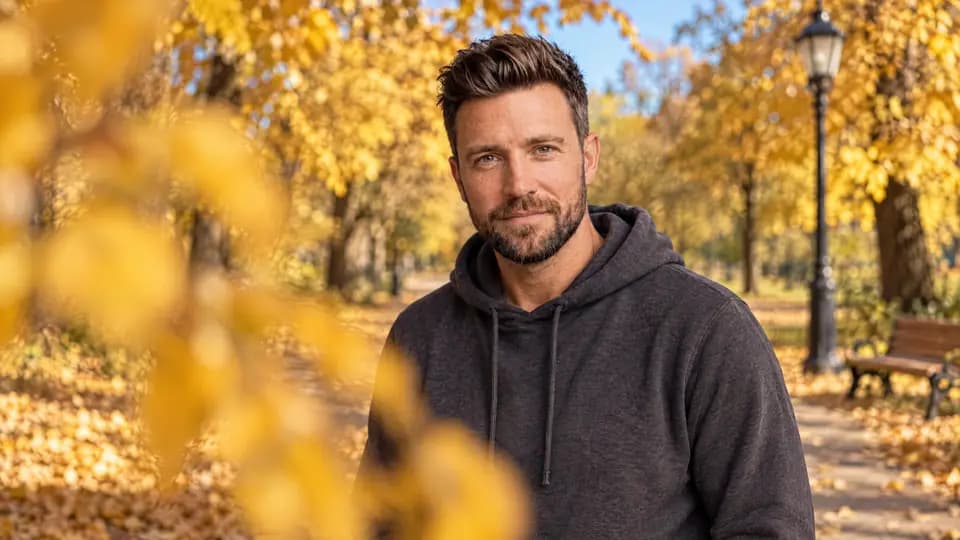
Foreground occlusion: a blurred golden branch covers a third of the frame in the foreground, he is sharp behind it in a medium shot.
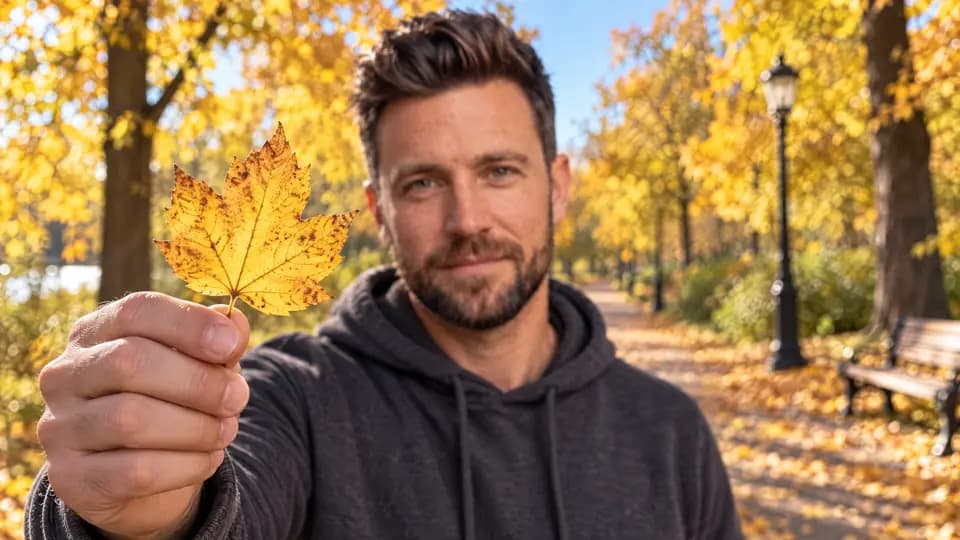
Foreground focus: a single golden leaf he holds toward the lens is razor sharp, his face behind it softly out of focus.
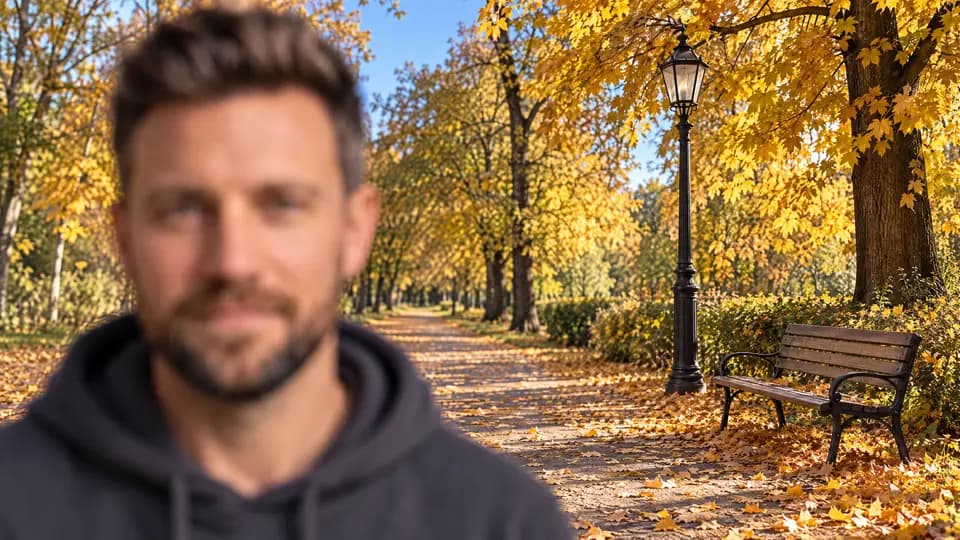
Background focus (rack focus on the background): he stands close to the camera on the left side of the frame and is completely out of focus, a soft blurred shape, his face unrecognizably blurred. The focus is on the wooden bench and the black lamp post ten meters behind him, which are razor sharp with every leaf around them crisp. Shallow depth of field, 85 mm lens.
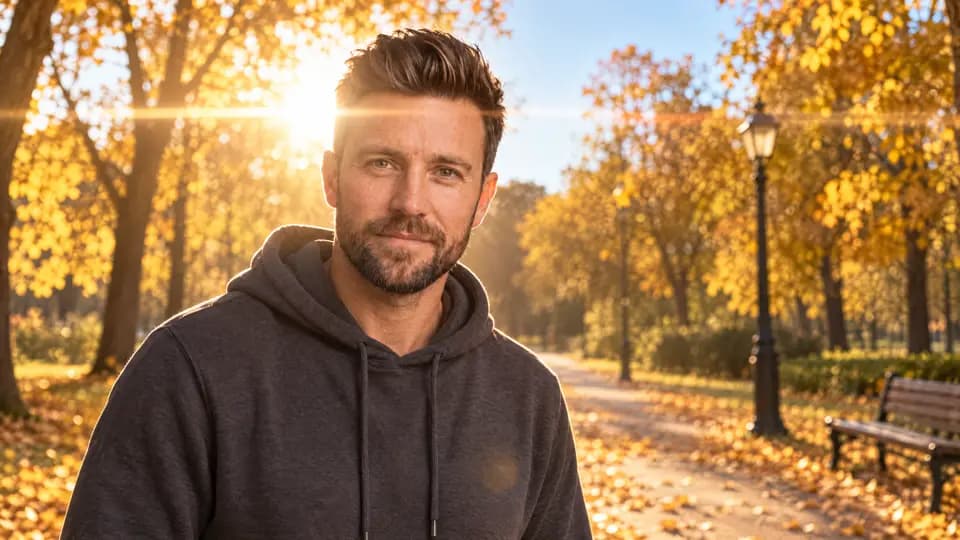
Lens flare: the low sun directly behind his head, a bright anamorphic flare streaking across the frame, medium shot, warm haze.
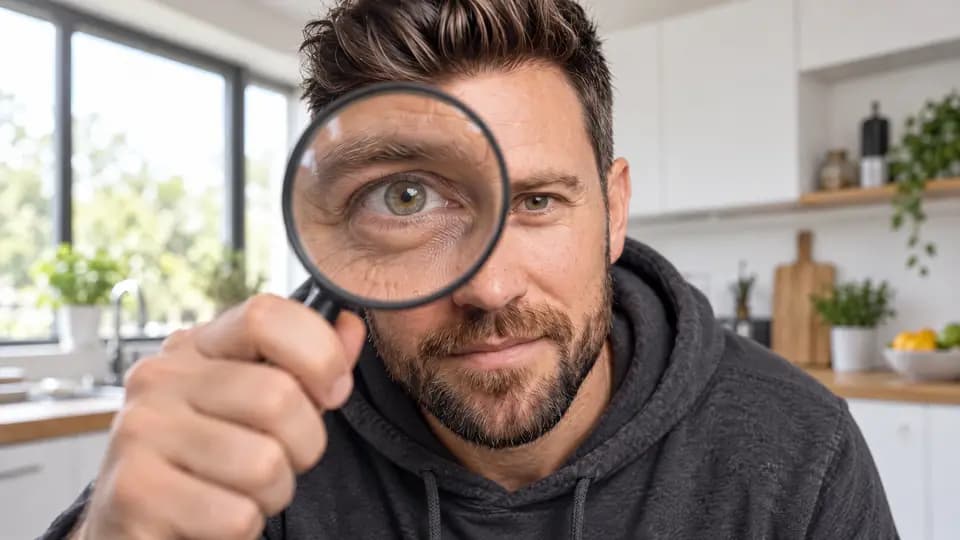
He holds a large magnifying glass in front of one eye toward the camera, the eye hugely enlarged through the glass, close-up.
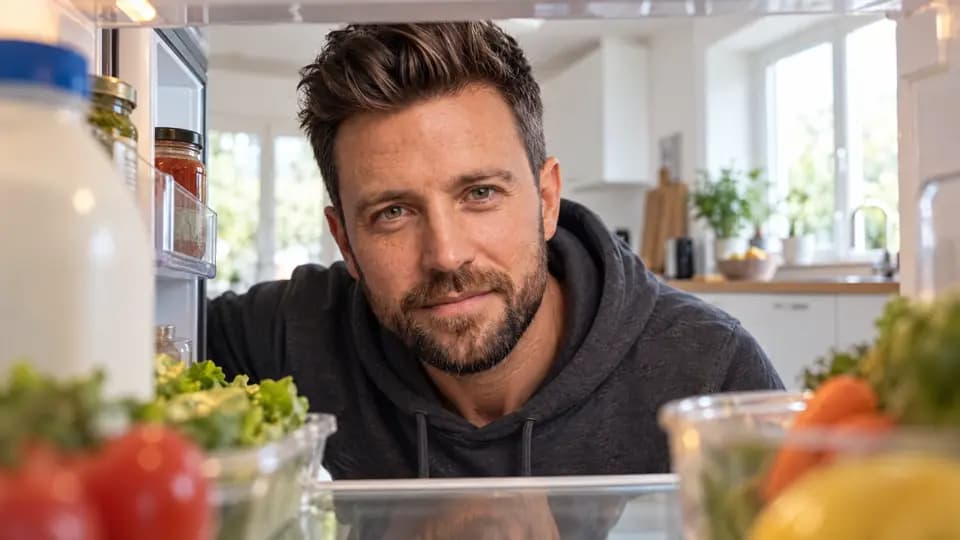
Inside-the-fridge shot: the camera sits on a shelf inside the open refrigerator between milk and vegetables, he opens the door and peers in, lit by the fridge light.
Die Beispielbilder sind KI-generiert, mit Kais Foto als Vorlage, erstellt mit Nano Banana Pro und GPT Image 2.5. Je nach Bild-KI und Durchlauf sieht dein Ergebnis anders aus.
Kamerabewegungen fürs Video: 48 Kamerabefehle für Google Flow. Luftaufnahmen als Video: Drohnenaufnahmen ohne Drohne.
Hat's geklappt?
Ein Klick, keine Anmeldung. Hilft mir, die Anleitung besser zu machen.
Jeder Prompt hier hat dieselbe Ordnung: wer, aus welchem Blickwinkel, wo und in welchem Stil. Wie du so eine Ordnung für jeden Prompt baust, steht im C.R.E.A.T.E.-Guide.
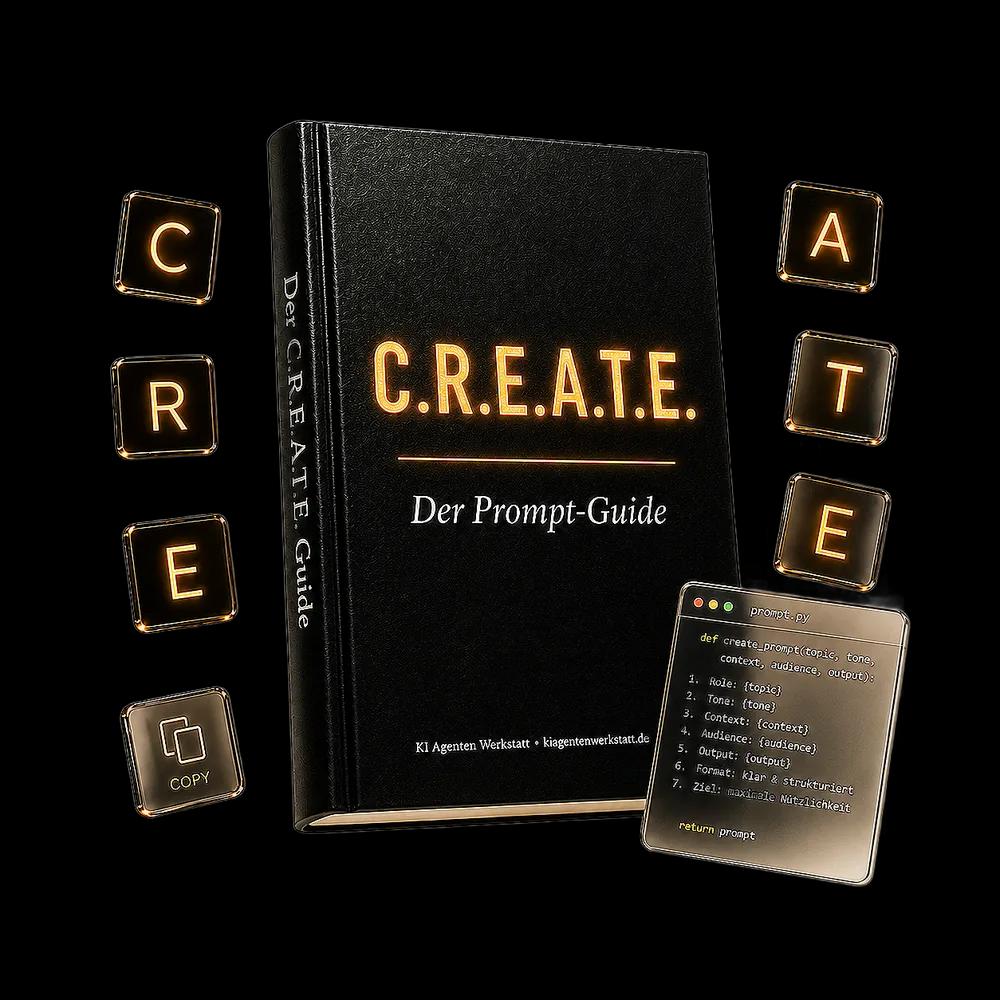
Kostenlos per Mail, zusammen mit meinem Newsletter „Kais KI-Radar“. Abmelden geht jederzeit.
Lieber gleich ausprobieren? Zum C.R.E.A.T.E. Prompt Builder
Weiter in der Werkbank
Nur notwendige Cookies, kein Werbe-Tracking.Diese Seite nutzt nur notwendige Cookies und eine cookielose, anonyme Reichweitenmessung. Kein Werbe-Tracking.